Peer Review & Reviewer Management
Managing reviewers effectively is one of the most critical parts of the editorial workflow. Academic Stack is designed to make this process structured, traceable, and efficient — from identifying reviewers to completing the review stage.
This guide focuses on how editors work with reviewers in real scenarios.
Adding Reviewers
In most cases, reviewers are added by editors during manuscript handling. While authors and editors-in-chief may suggest candidates, the primary responsibility typically lies with the handling editor.
Editors usually identify reviewers by searching platforms such as Google Scholar, Web of Science, or other academic databases, focusing on experts in the same or closely related research areas.
While authors and editors-in-chief may suggest candidates, the handling editor is typically the primary person responsible for adding reviewers.
Manual Addition
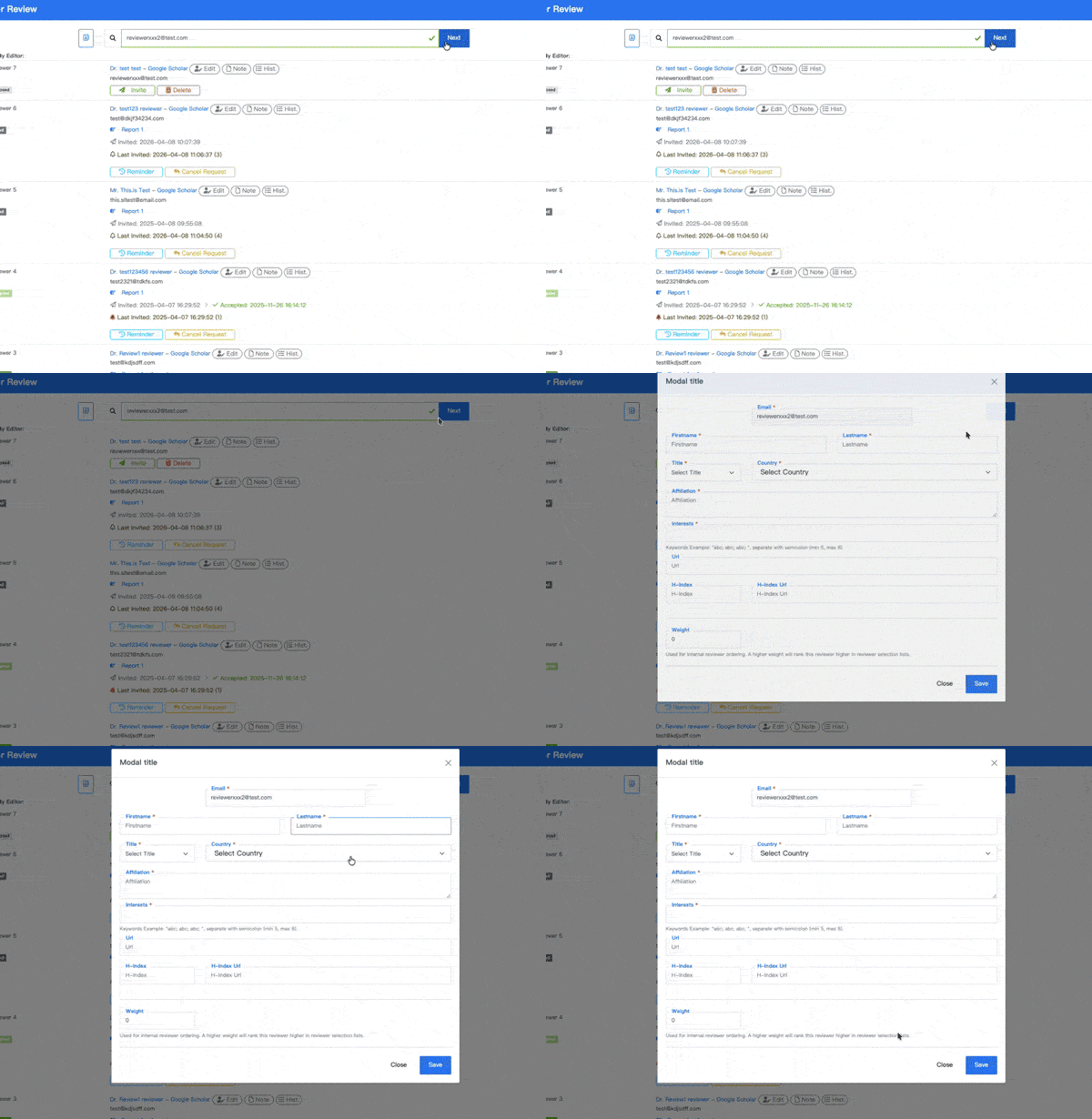
If you already have a suitable reviewer, you can directly enter their email address and click Next to complete the reviewer profile.
During this process, the system performs basic conflict-of-interest checks to help reduce potential risks.
Selecting from the Reviewer Database
In practice, the fastest way to add reviewers is by using the built-in Reviewer Database.
The Reviewer Database is built from manually added reviewers and approved volunteer applications. As editors continue inviting new reviewers and approving suitable volunteers, the database becomes richer over time and provides a stronger foundation for future reviewer selection.
From the manuscript page, click the reviewer selection button:
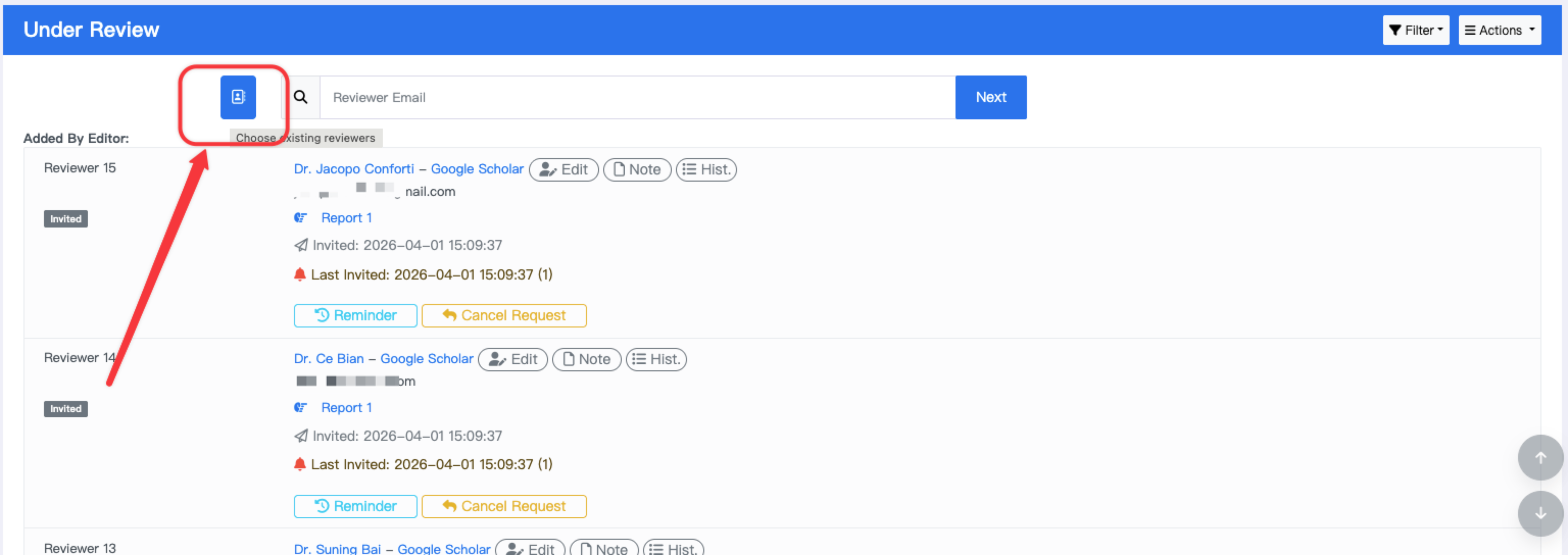
This opens a searchable panel where you can filter reviewers based on practical criteria such as:
- Country or region
- Recent invitation activity
- Whether they have reviewed for this journal
- Whether they have submitted reports
- Whether they are volunteer reviewers
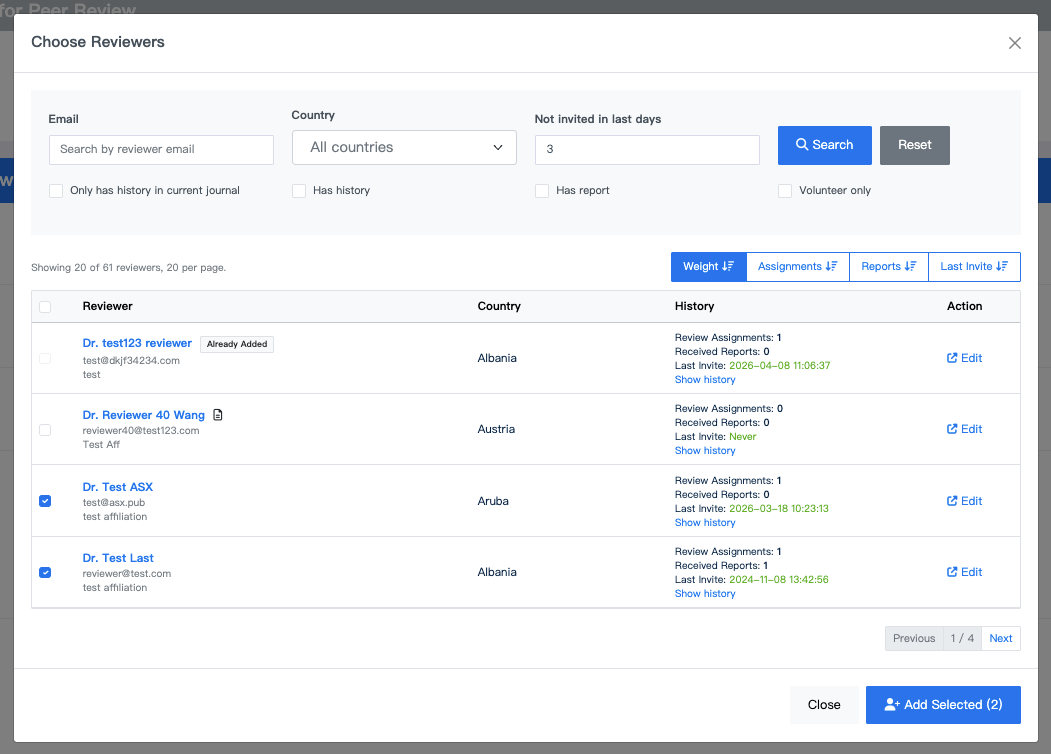
You can also sort reviewers by:
- Weight (priority)
- Number of assignments
- Number of completed reports
- Last invited time
This helps balance workload and avoid repeatedly inviting the same reviewers.
Best Practice
Maintaining reviewer weights is an effective way to improve selection efficiency.
For example, you may assign higher weight to:
- Reliable reviewers who submit high-quality reports
- Frequent collaborators
- Reviewers with fast response times
This ensures they appear higher in the selection list when assigning reviewers.
Volunteer Reviewers
Academic Stack allows journals to continuously expand their reviewer pool through volunteer reviewers.
Any registered user can submit their profile via the Volunteer Preference page, including their expertise, affiliation, and research interests.
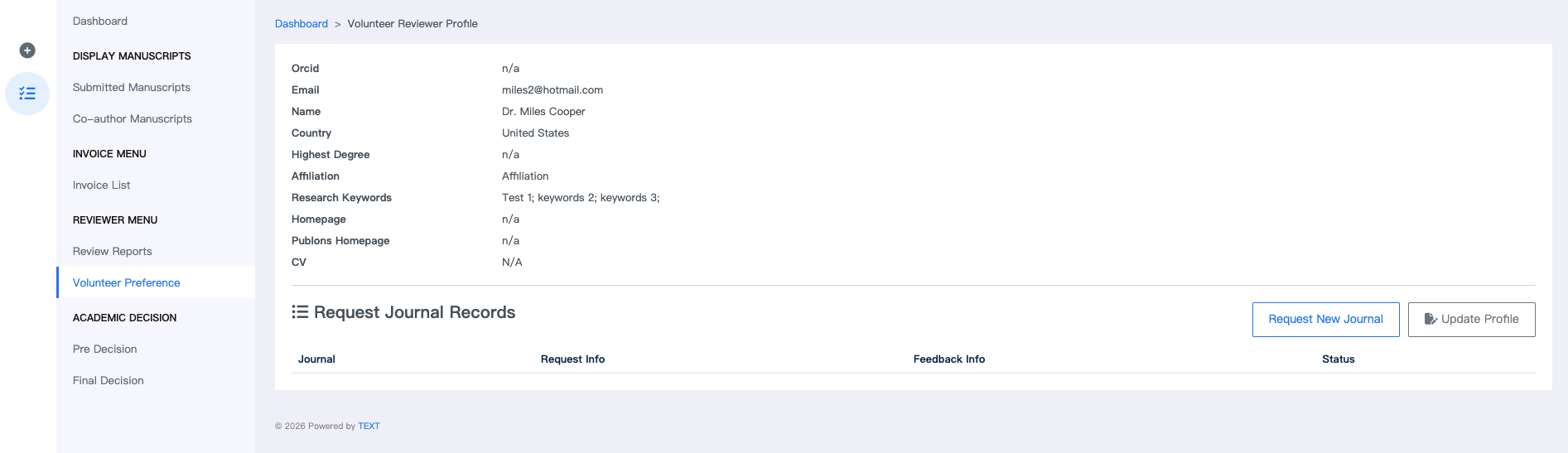
Once approved by the journal, the reviewer is automatically added to the Reviewer Database and can be filtered using the "Volunteer only" option.
Volunteer reviewers are particularly useful for:
- Expanding reviewer coverage
- Supporting new or niche fields
- Engaging early-career researchers
Managing Reviewers During Peer Review
After reviewers are added, all actions are managed directly within the manuscript’s review panel.
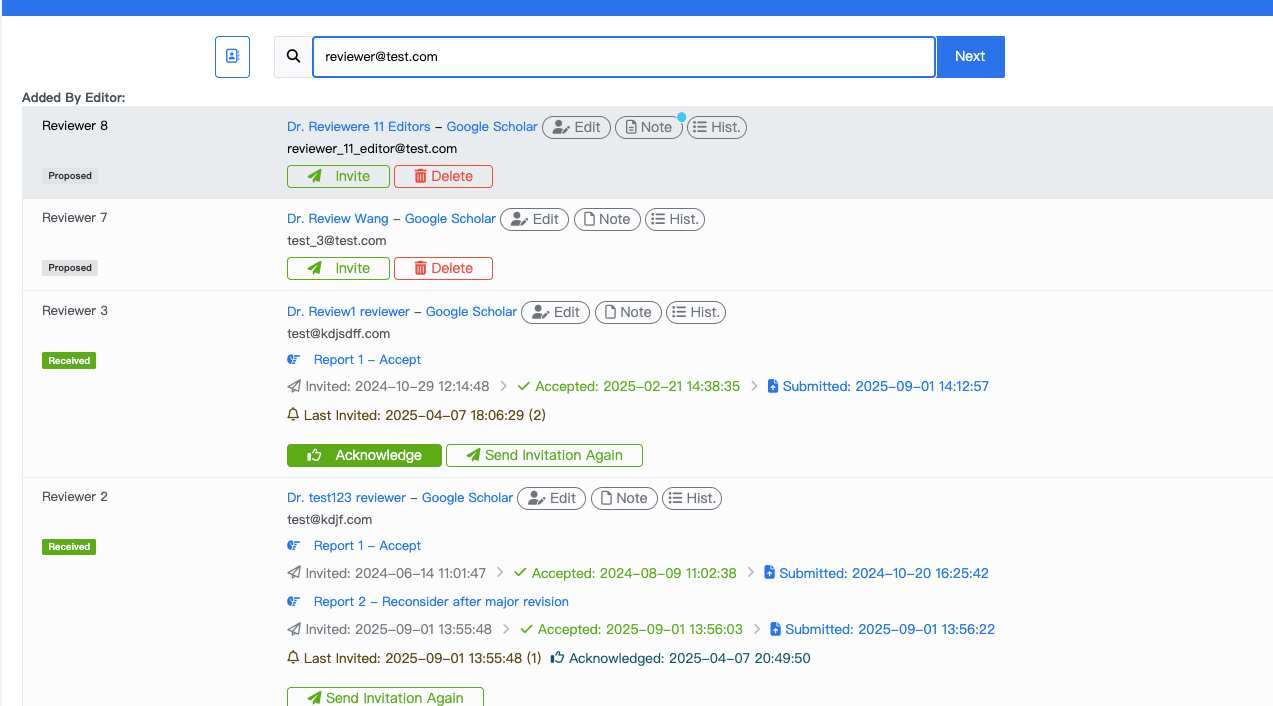
Editors can perform actions such as:
- Sending invitations
- Sending reminders
- Re-inviting reviewers
- Canceling invitations
Each reviewer entry displays real-time status updates, including invited, accepted, submitted, or overdue.
Automatic Reminders
To reduce manual follow-up, Academic Stack allows journals to configure automatic reminders for reviewers.
The auto reminder settings are located under the journal menu in Configurations. Any user with journal publisher permissions can configure them. See Roles & Permissions to learn how permission settings are managed.
You can define:
- Reminder interval (e.g., after 7 days of inactivity)
- Maximum number of reminders
- Custom message appended to emails
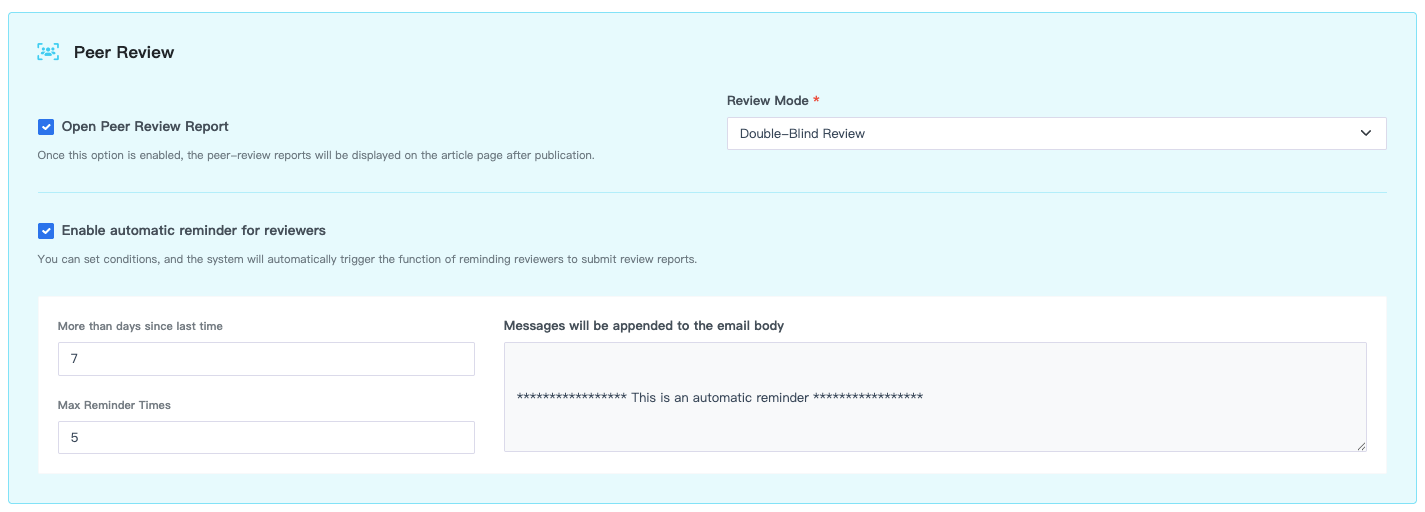
Once enabled, the system automatically notifies reviewers who have not submitted reports within the defined conditions.
In addition to reminders, journals can also define the overall review model, such as single-blind or double-blind review, to ensure consistency across all submissions.
Reviewer Detail & History
At any point, you can click a reviewer’s name to view detailed information.
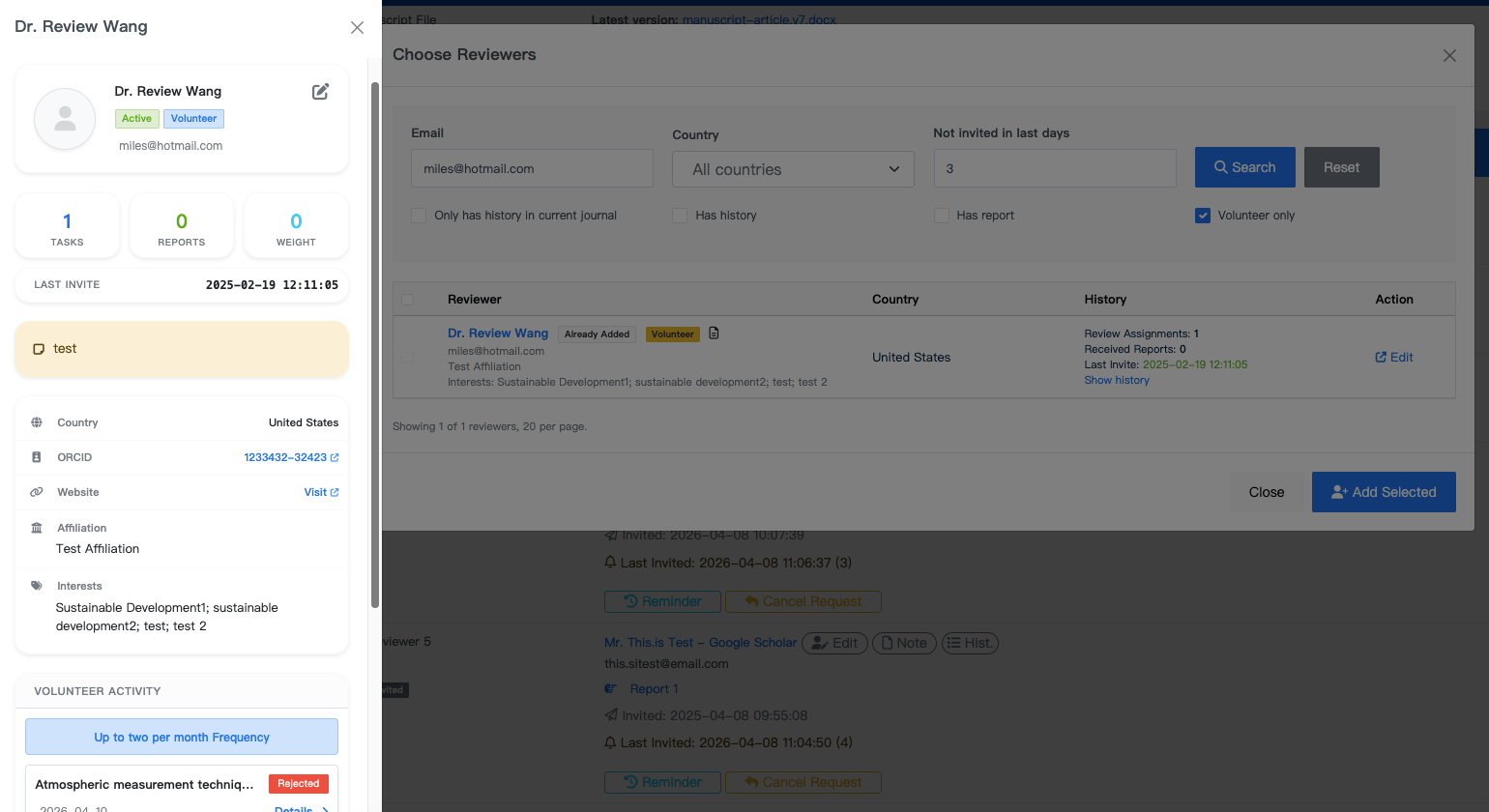
This includes:
- Basic profile (affiliation, country, ORCID, interests)
- Review history and activity
- Number of assignments and completed reports
- Volunteer status
- Internal notes
You can also edit reviewer information or add internal notes for editorial reference.
Batch Operations
For efficiency, Academic Stack supports batch operations.
Instead of managing reviewers one by one, you can:
- Send invitations in bulk
- Cancel multiple invitations at once
This is especially useful when handling multiple reviewers or large submission volumes.
Completing the Review Stage
In most cases, once 2–3 valid review reports are received, the editor can proceed to the next decision stage.
Before moving forward, it is recommended to cancel any outstanding invitations.
Late submissions may conflict with editorial decisions and create unnecessary complications. You can use batch cancellation to handle this efficiently.
After that, you may:
- Acknowledge reviewers who submitted reports
- Move the manuscript to the next stage (e.g., decision or revision)
FAQ
Can I blacklist a reviewer?
Yes. In the reviewer management interface, you can set a reviewer as inactive. Inactive reviewers will no longer appear in selection results.
Can I search external databases like Web of Science directly?
No. Academic Stack does not integrate with external databases.
However, the system is designed to help you gradually build and maintain your own high-quality reviewer database over time.