Roles & Permissions
Academic Stack features a Unified User System. Unlike traditional platforms that require separate "Author" or "Editor" accounts, AS manages permissions through dynamic roles linked to a single user profile.
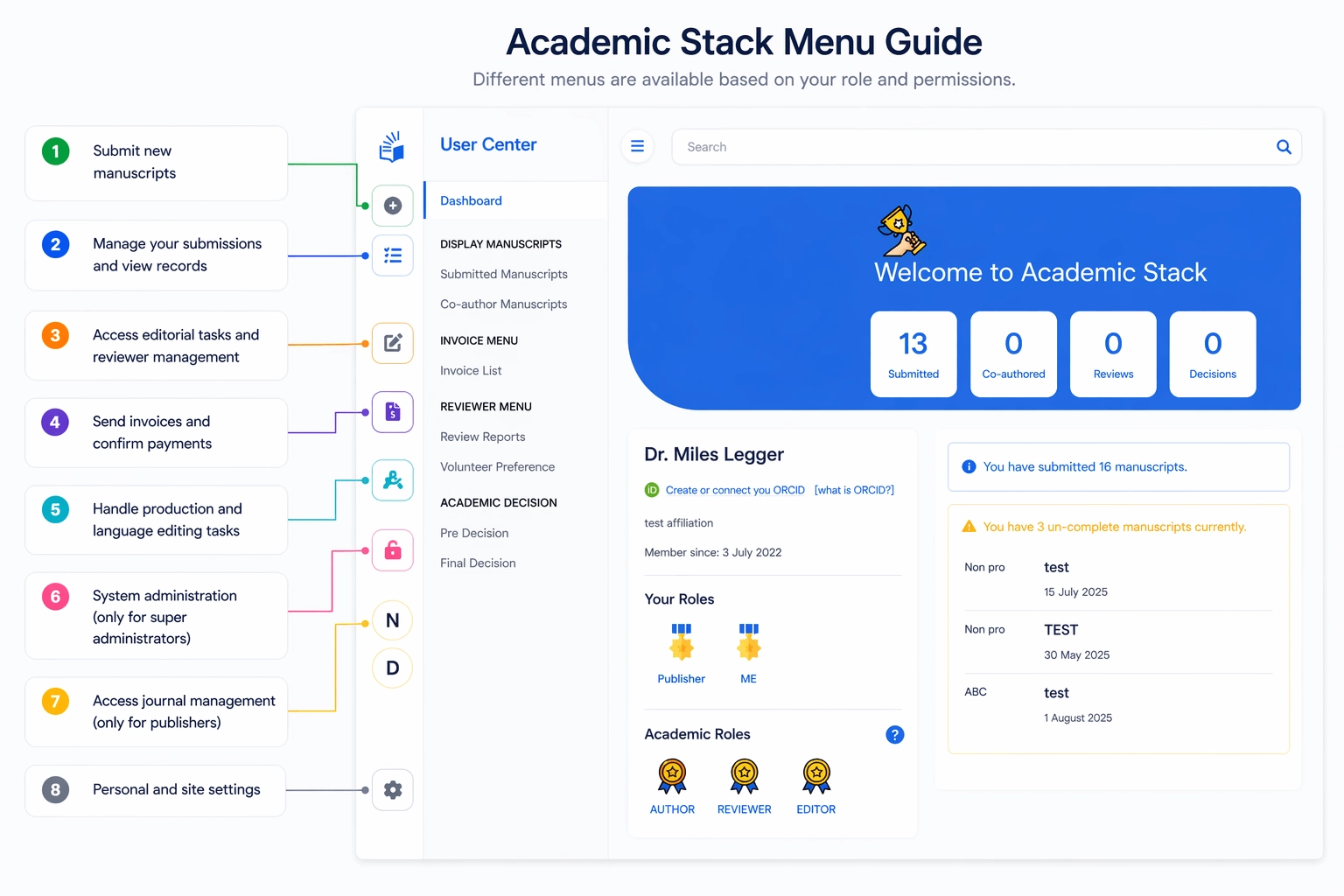
User Groups: External vs. Internal
The platform distinguishes between users who participate in the academic process and those who manage the journal's operations.
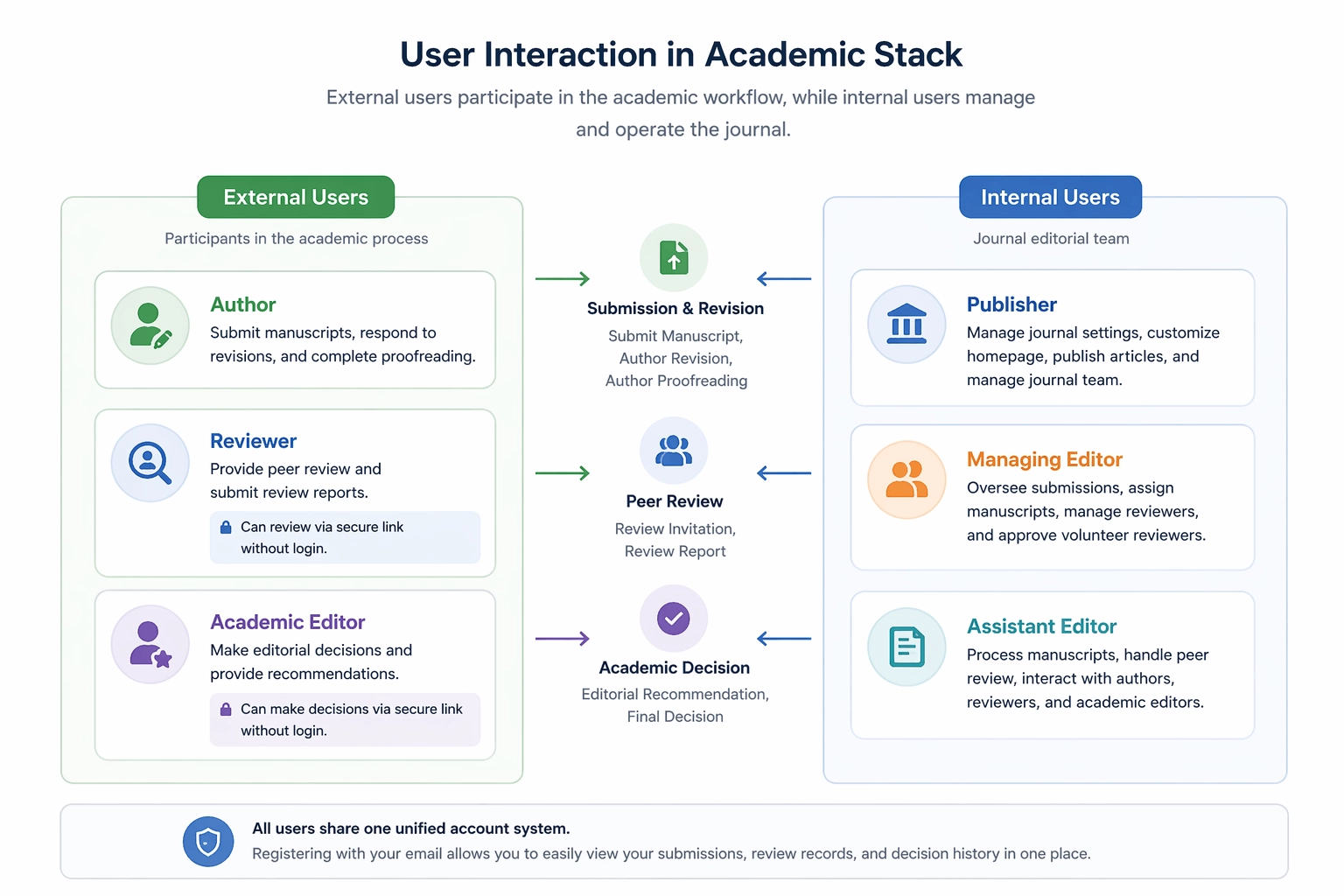
1. External Users
Participants in the academic workflow: Authors, Reviewers, and Academic Editors. They typically interact with the submission, peer review, and decision-making stages.
2. Internal Users
The Journal Team and Publisher Staff who manage the overall platform, manuscript workflow, production, and website content.
User Roles
General User Capabilities
Every registered user starts with basic platform capabilities. You don't need a special role to:
- Submit new manuscripts.
- Manage your own submissions and view records.
- Track invoices and payments related to your work.
There is no distinction between account types. A single user can be an author on one manuscript, a reviewer on another, and an editor for a specific journal—all within the same dashboard.
1. Activity-Based Roles
Reviewer and Academic Editor roles are conferred automatically based on your system activity.

The system automatically links your activity (reviews, decisions) to your email, recognizing your role based on system participation. Reviewers and Academic Editors do not need to register or log in to perform their immediate tasks; the platform uses secure, encrypted links sent via email for instant, password-free submissions.
All academic activities are tracked within the system, allowing you to access a complete history of your Review Records and Editorial Decisions whenever you log in.
2. Journal-Level Roles
Journal roles define specific responsibilities within an editorial office. These roles follow a Permission Inheritance model: higher roles include all permissions of lower roles.
| Role | Key Responsibilities | Focus |
|---|---|---|
| Publisher | Full control of journal settings, team, and publication. | Administration |
| Managing Editor | Editorial coordination, manuscript assignment, reviewer management. | Coordination |
| Assistant Editor | Handling assigned manuscripts, managing peer review workflow. | Operations |
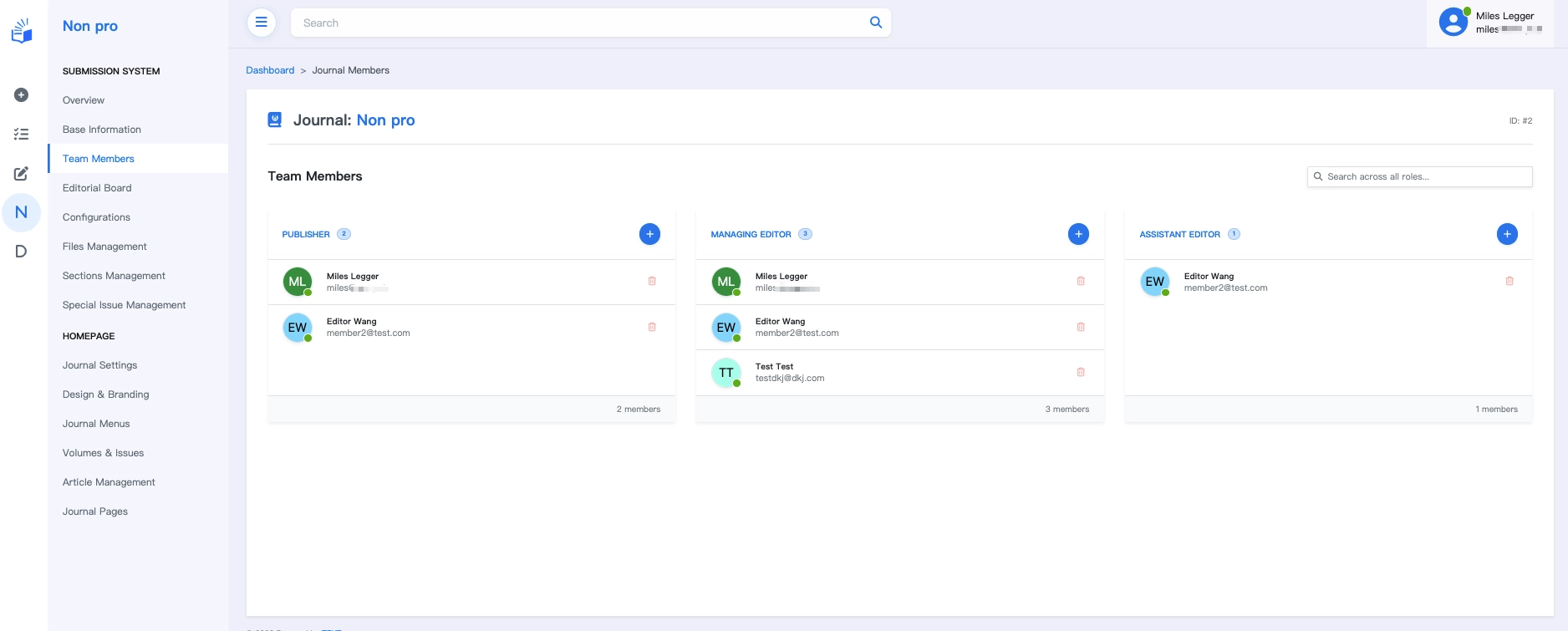
Publisher → Managing Editor → Assistant Editor Permissions flow downward. A Publisher can perform any action an Assistant Editor can.
3. System-Level Roles
System roles are platform-wide and typically assigned to the publisher's internal departments (Production, Billing, Tech).
| Role Identifier | Description |
|---|---|
ROLE_SUPER_USER | Full administrative access across the entire platform. |
ROLE_PRODUCTION_MANAGER | Oversees production and typesetting workflows. |
ROLE_LANGUAGE_MANAGER | Manages language editing and proofreading services. |
ROLE_BILLING_MANAGER | Handles billing, APC notifications, and payment tracking. |

System roles also utilize inheritance. Manager roles (e.g., Production or Language) automatically include their corresponding Editor permissions. The Super User role functions as a master role, inheriting permissions from all departmental manager roles (Billing, Production, etc.).
Super Users can use the top search box to search for a user's email and "Switch to User" to impersonate them. This is extremely helpful for resolving author issues, such as submission difficulties.
- Security: This operation does not involve passwords and the system does not store plain-text passwords.
- For more details on this search function, see the Search Box documentation.
Role Assignment Summary
Role management is designed to be simple and flexible:
- Journal Roles: Assigned by the Journal Publisher via the Team Management interface.
- System Roles: Assigned by platform administrators for organization-wide staff.
- Activity-Based Roles: Conferred automatically based on system activity (e.g., accepting a review invitation).
Practical Workflow Example
Here is how roles interact in a typical manuscript lifecycle:
- Author submits a manuscript.
- Managing Editor performs initial screening and assigns it.
- Assistant Editor invites reviewers and manages revisions.
- Reviewer (External) submits feedback via a secure link.
- Academic Editor (External) provides an editorial recommendation.
- Managing Editor makes the final decision.
- Production Manager (System Role) triggers typesetting once accepted.
- Publisher finalizes the publication on the website.
Best Practices
- Keep it Simple: Only assign the minimum necessary roles.
- Unified Identity: Encourage users to use a single email across all activities.
- Security: Assign
ROLE_SUPER_USERandPublisherroles sparingly.