Create a Journal with AS Cloud
AS Cloud allows you to launch a fully functional academic journal in minutes — including a website and submission system — without any technical setup.
This page focuses on launching a single journal using AS Cloud.
If you are planning to build a multi-journal publishing house or require advanced customization, please explore the AS Enterprise solution to understand why two versions exist.
From Idea to a Live Journal
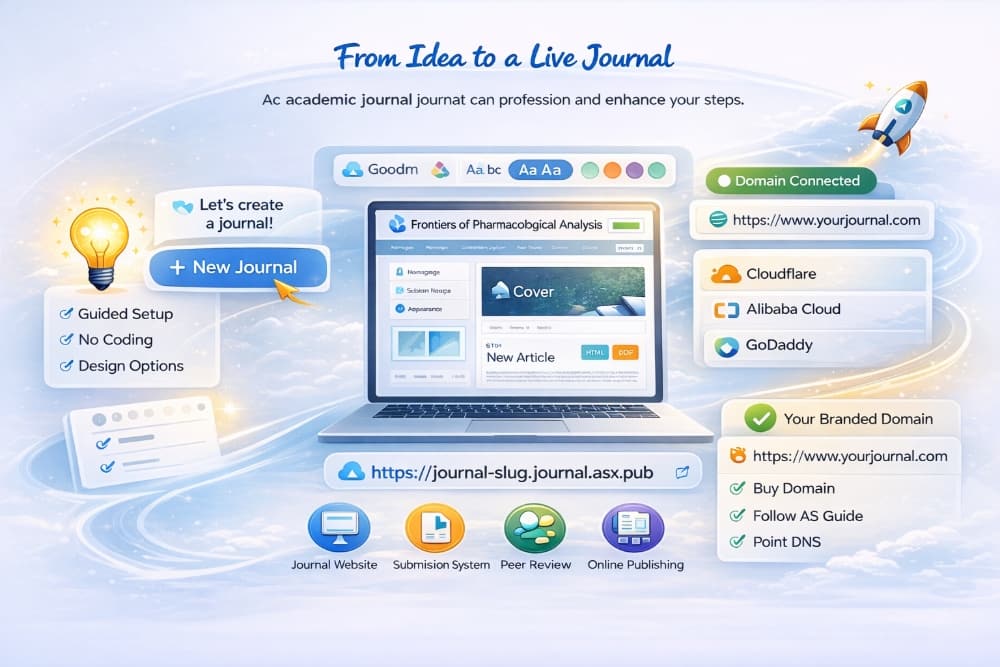
From a simple journal idea to a fully operational publishing platform, Academic Stack guides you through the entire process — from setup to publication.
🚀 Step 1: Create a Journal
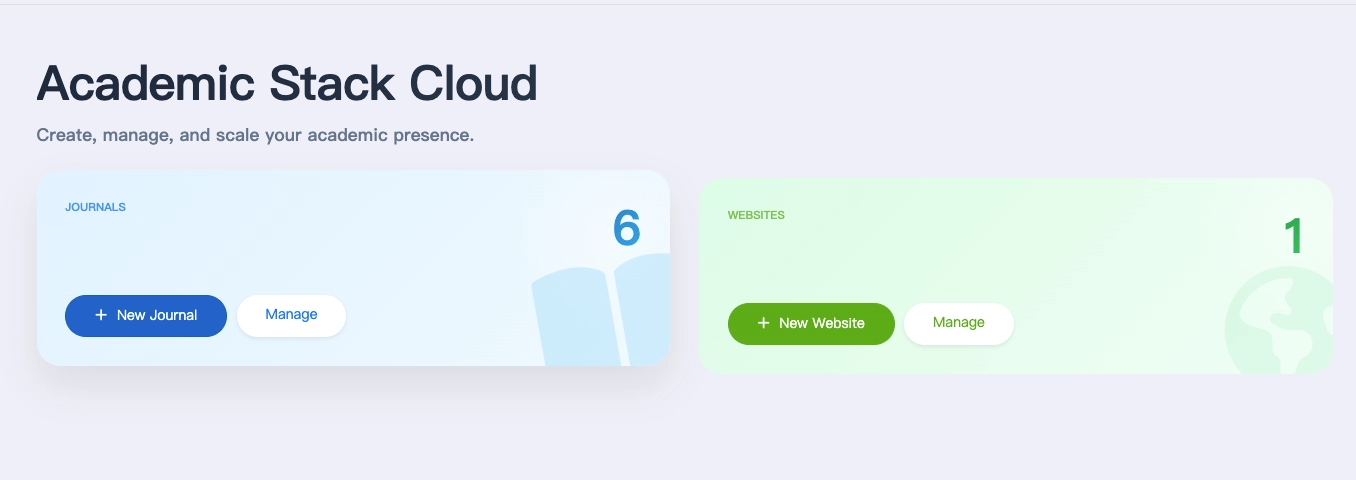
After logging into Academic Stack, go to your dashboard and click New Journal.
The platform provides a clear and simple entry point for creating journals, separate from other content types such as websites.
📝 Step 2: Enter Journal Information
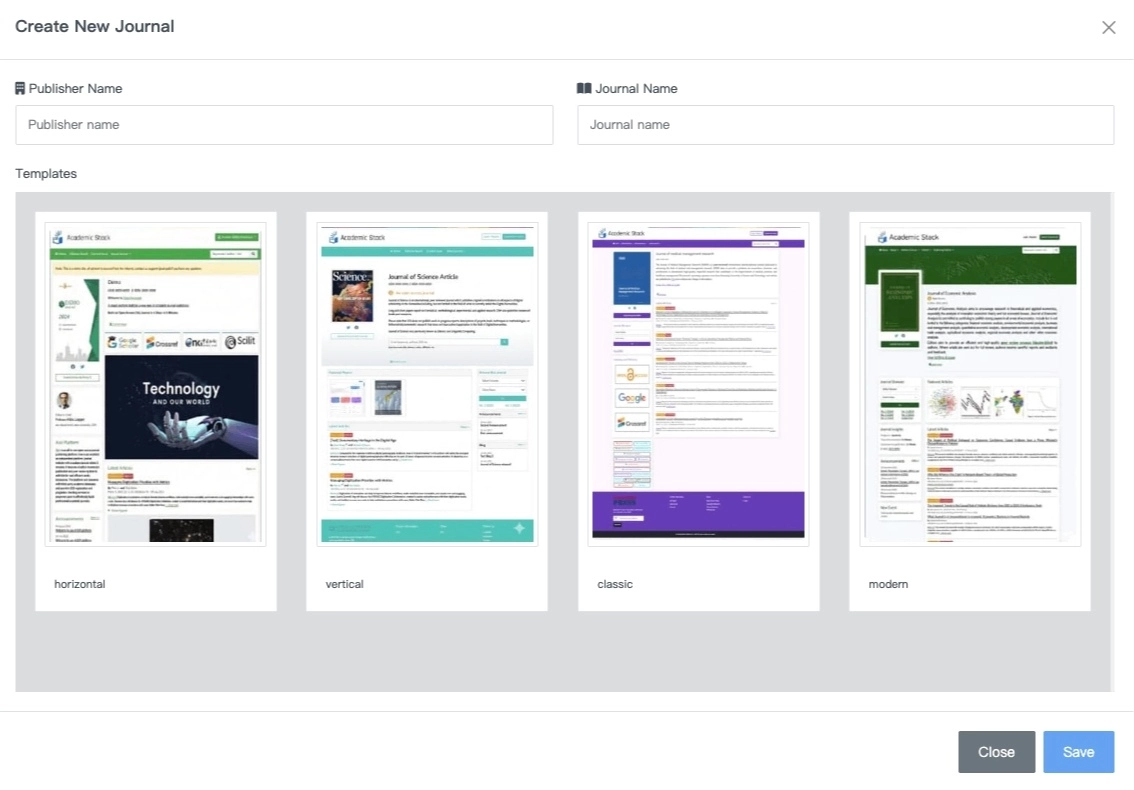
Fill in the essential details:
- Publisher name
- Journal name
Then choose a template for your journal.
Multiple built-in templates are available (such as horizontal, vertical, classic, and modern), allowing you to quickly define the structure of your journal.
No complex configuration is required — everything is guided and structured.
🎨 Step 3: Customize Your Journal
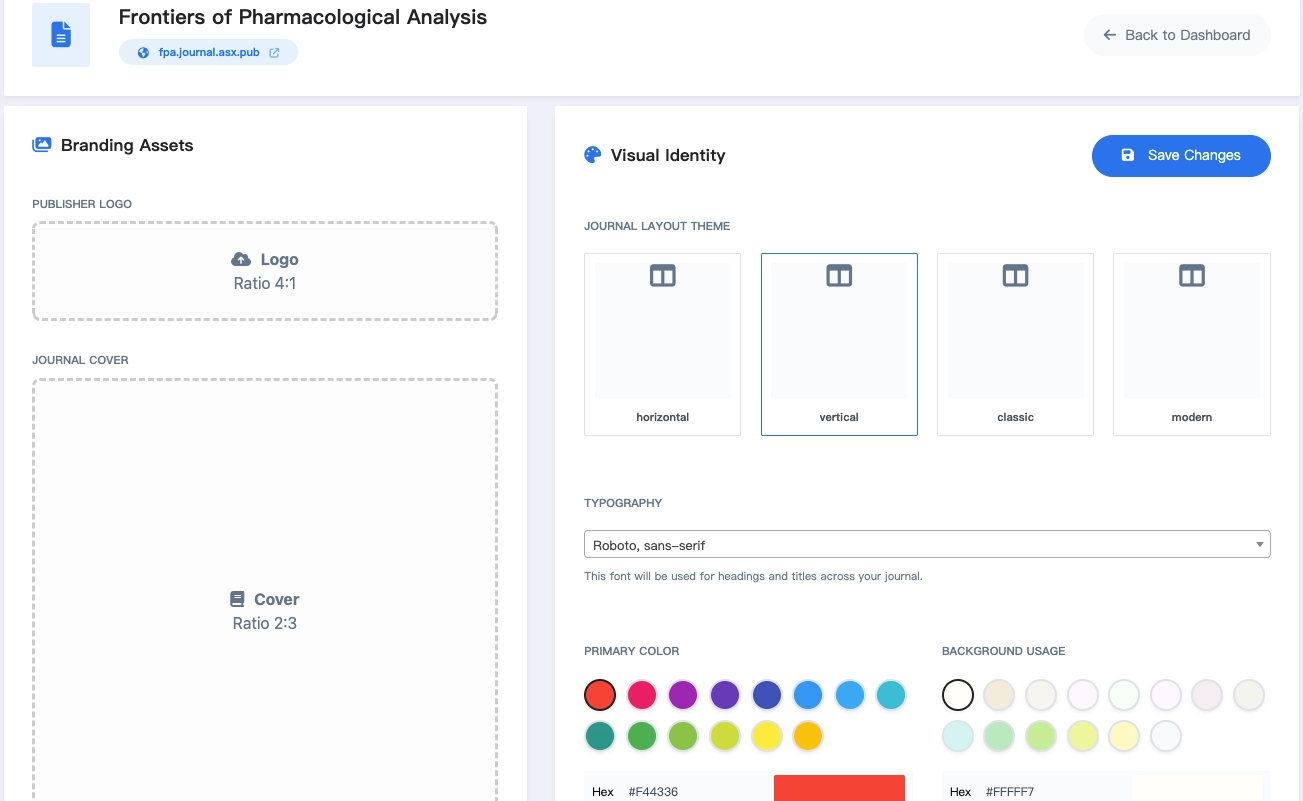
After creation, you can refine your journal’s appearance through the design settings.
You can configure:
- Logo and journal cover
- Layout theme
- Typography (fonts)
- Primary colors
This allows you to establish a consistent visual identity with just a few adjustments.
All changes are applied instantly — no coding required.
🌐 Step 4: Your Journal Goes Live Instantly
Once setup is complete, your journal is immediately available online.
Your journal website and submission system are ready to use immediately at your assigned URL:
https://{journal-slug}.journal.asx.pub
There is no deployment process — everything is live as soon as you click create.
- Journal Audit: All newly created journals undergo a standard review process (1-5 working days). Your journal remains fully functional during this period, though a small review notice will be visible on the site until the process is complete. If you have specific requirements, please contact us directly via email.
- Search Engine Indexing: By default, new journals are not indexed by search engines. This ensures your journal remains private while in development.
- Going Public: To enable full SEO and indexing, you must bind an independent domain. If you are unsure how to proceed, please refer to the Domain Binding & HTTPS guide.
⚙️ Step 5: Manage Your Journal Settings
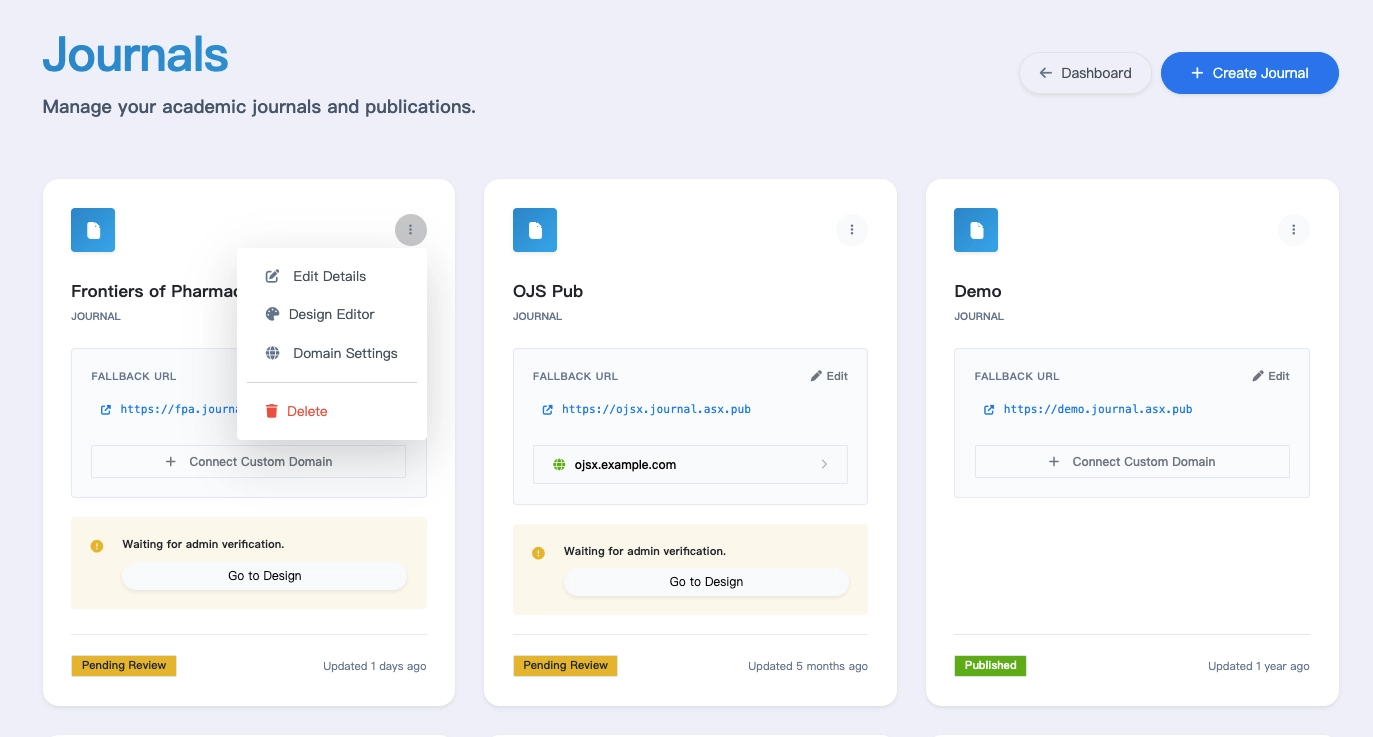
Your journal will appear in your dashboard after creation.
From there, you can:
- Edit journal title
- Open the design editor (Modify layout, colors, and fonts)
- Configure domain settings
- Change journal status (Disable or remove your journal)
- Access your journal site directly Each journal operates independently with its own configuration and publishing workflow.
🔐 Accessing the Editorial Office (Backend)
When you create a journal, your current account is automatically assigned as the Publisher (owner) of that journal.
You can log in directly using the same account to access the journal’s backend and manage all publishing operations.
To add additional administrators or editors, please refer to the User Roles & Permissions section.
While journal creation and high-level settings are handled through Academic Stack, your daily editorial operations happen within your specific journal's editorial office (backend).
Open your journal homepage and click Login to access the dashboard using your Academic Stack account.
📚 What You Can Do After Setup
Once your journal is live, you can start operating it immediately:
- Set up user roles and permissions to build your team.
- Receive and manage submissions from authors worldwide.
- Manage the editorial workflow to start the evaluation process.
- Manage reviewers to maintain academic quality.
- Publish accepted articles and share them with the global community.
All core publishing functions are already integrated.
💡 Final Note
AS Cloud is designed to remove technical barriers from academic publishing.
From idea to a working journal platform, everything can be completed in just a few steps.
Most journals can be launched and ready to publish within minutes.